Search "how to make photos look like a digicam" and you will find preset packs and long editing tutorials. Some results look good. Most look like a modern phone photo wearing a costume. Here is why, and what actually works.
Your phone is built to remove the look you want
Modern phones merge several exposures into every photo, lift the shadows, hold back the highlights, smooth the noise and sharpen gently. The result is clean and balanced, which is the opposite of a 2005 compact. Those small cameras clipped bright areas to pure white, let shadows go muddy and grainy, and sharpened hard enough to draw halos.
A preset applied afterwards can shift the colours and add uniform grain, but it starts from a file where that character has already been removed.
What the digicam look is made of
- Clipped highlights: lamps, windows and skies burn out to white.
- Colour fringing: purple and cyan edges around bright objects.
- Chroma noise: blotchy colour speckles in the shadows, not neat film grain.
- Crunchy sharpening and visible JPEG compression.
- Direct flash: bright faces, dark backgrounds.
- The burned-in date stamp in amber digits.
We break each of these down in what the CCD camera look is.
The bigger problem: you shot it for a different camera
When you edit later, you framed the photo for your phone's look: wide dynamic range, night mode, a careful exposure. Digicam photos are framed differently. You get closer, you use the flash, you let the sky blow out, you snap fast instead of taking twenty versions. The look is half processing and half behaviour.
Shoot with the look instead
That is the idea behind OldCam: the look runs live in the viewfinder, so you see the clipped highlights, noise and date stamp while you compose. You naturally shoot for it: closer, with flash, chasing the light. The photo is saved finished, with no editing step.
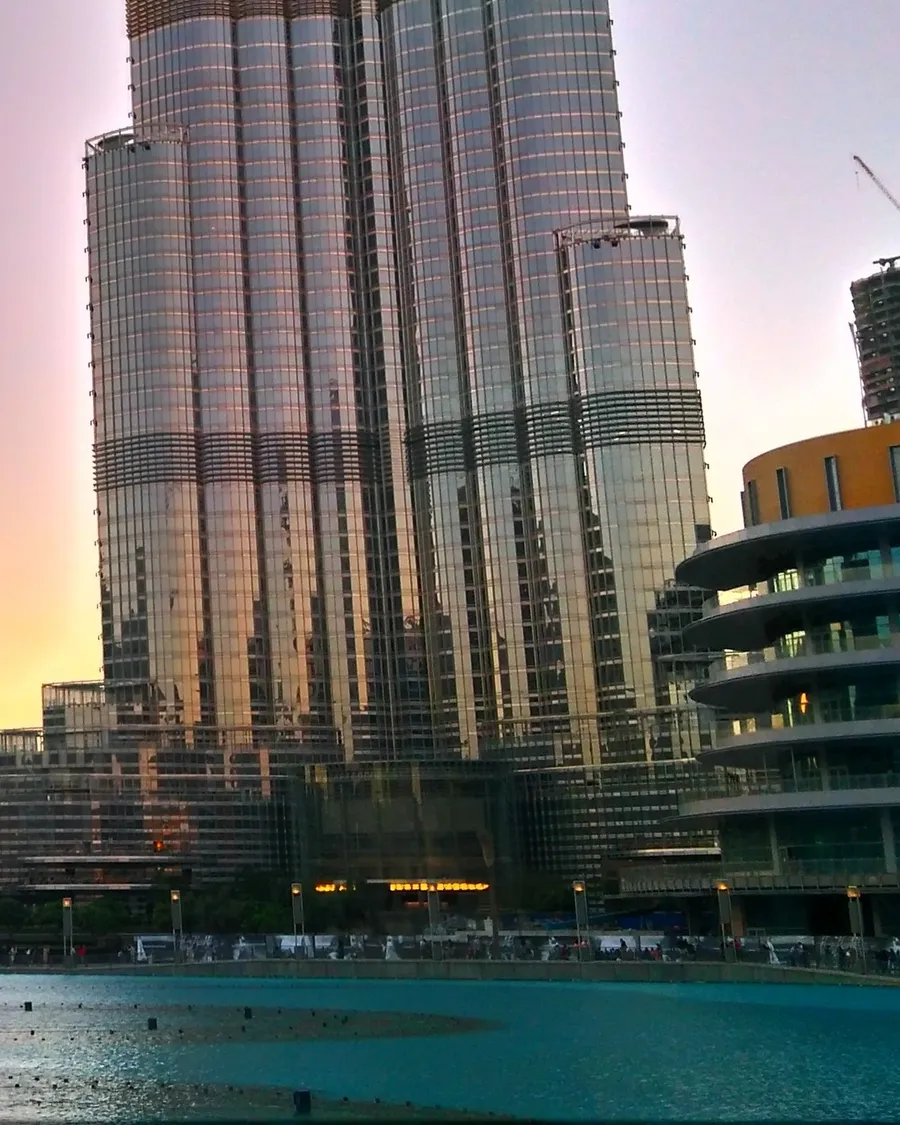
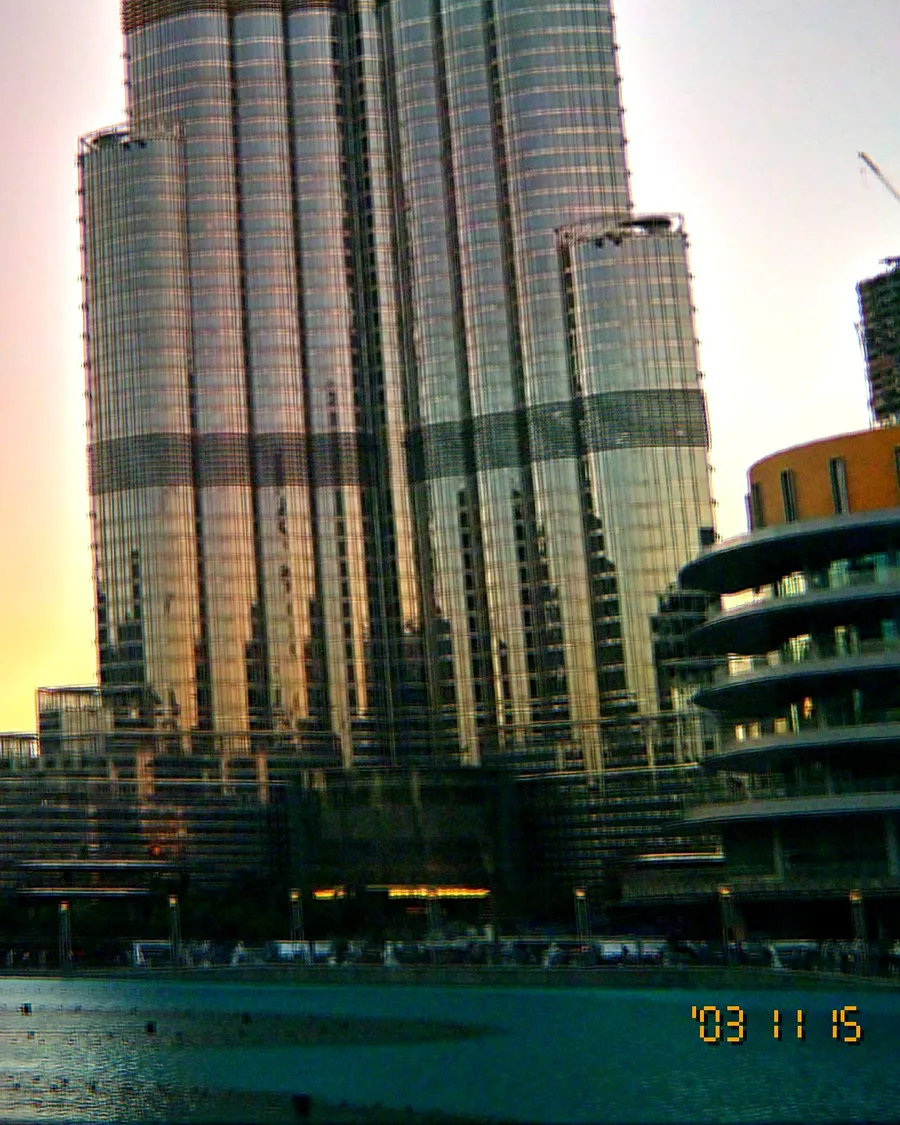
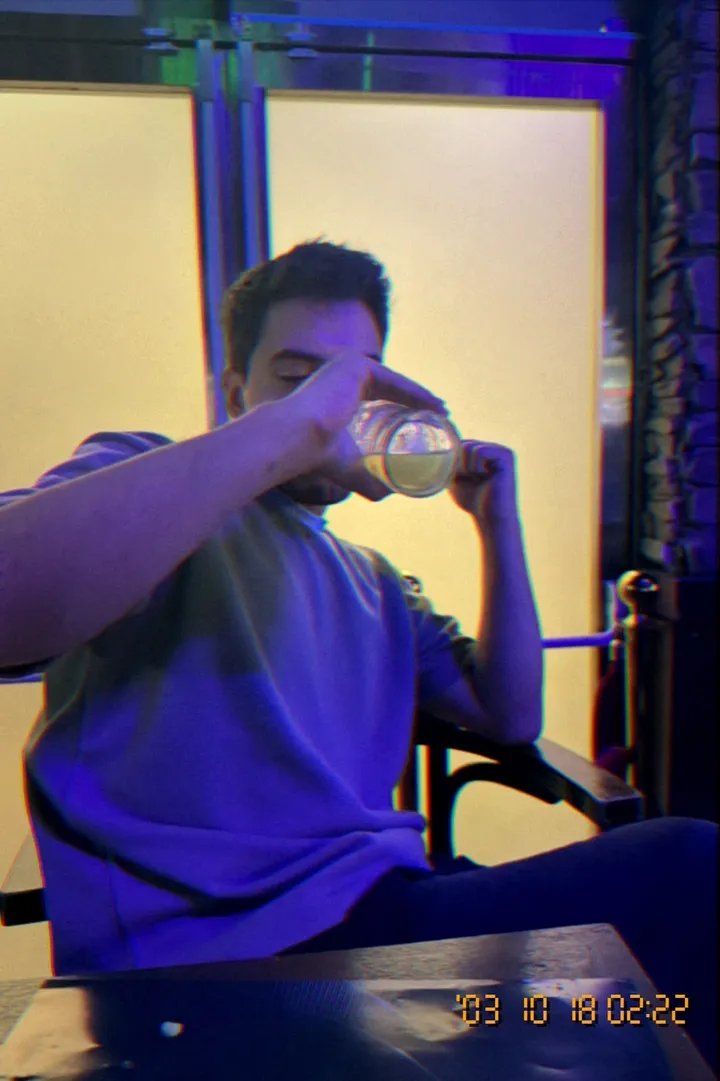
On the left, a normal phone photo. On the right, the same moment in OldCam's free The Original look: warmer highlights, softer detail, real noise and the '03 date stamp.
If you still want to edit
Keep it subtle: lower clarity, add a little colour noise rather than film grain, warm the highlights, push one bright area to clip, and add a small amber date in the corner. Then try shooting the next batch live and compare.